Client bookings, without the back-and-forth.
Send one booking link on WhatsApp. Your client picks a free time, and can move or cancel with the same link. Fittenger confirms each booking.
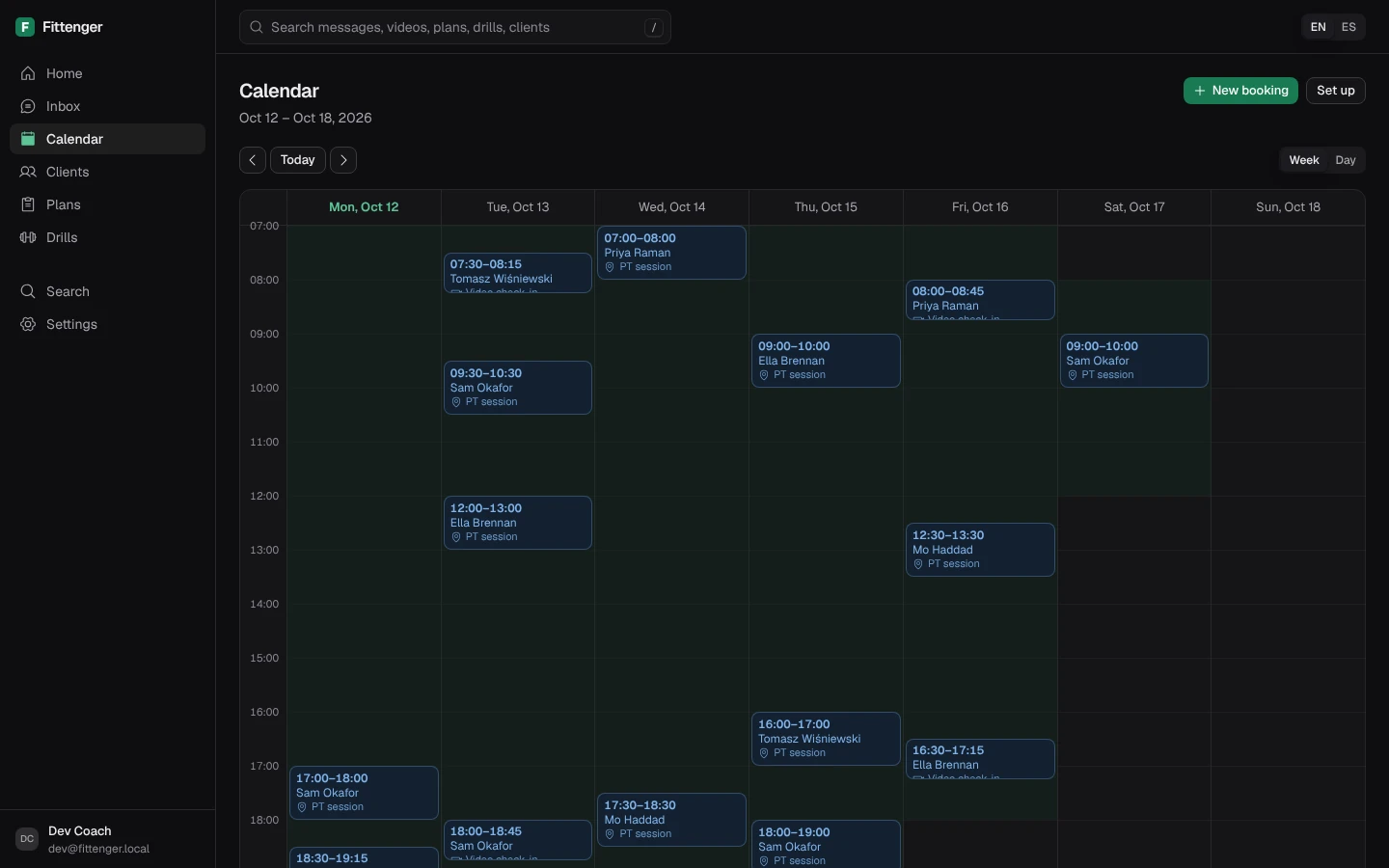
Set up once, then send one link
Set up your sessions
Add each session type with its length, and choose WhatsApp video or in person. Then set your weekly hours and booking rules.
Send the booking link
Tap Booking link in a chat. Or the client sends “book” on WhatsApp, and Fittenger replies with a private link.
The client picks a free time
They choose a session type and a free time, in their own time zone. Fittenger confirms the booking on WhatsApp.
Free times only, with your rules built in
Clients see only free times
Your hours, time off, gap between sessions and minimum notice all apply. So do your other calendars, where busy times block a booking.
Move or cancel with the same link
The client can move or cancel with the link they already have, until the minimum notice period before the session. Moves and cancellations update your calendar.
Your other calendars block busy times
Add up to 5 calendars with their private iCal address. Fittenger checks each one about every 15 minutes. It keeps only start and end times.
Plain answers.
Does Fittenger take payment for sessions?
No. Fittenger does not take payments from clients.
What if the client has not written to me in 24 hours?
WhatsApp allows only approved templates after 24 hours without a message from the client. Without an approved booking_update template, clients outside that window get no confirmations. Submit it from Settings > Templates, in the Utility category.
Who starts the video call?
You do. Fittenger cannot start a WhatsApp video call for you. At the session time, Home shows “Call [name] now”. That opens the chat in your WhatsApp Business app, where you tap the video button.
How long does a booking link work?
A booking link works for 14 days. To turn off every link for a client, open the client and choose “Turn off old booking links”.
Can I see my sessions in Google or Apple Calendar?
Yes. In Calendar, open Set up and turn on the calendar feed. Add its link to your calendar app. Anyone with the link can read your schedule, so keep it private.
More of the desk.
Inbox
Every client chat on one screen, with unread counts and form videos.
Tracking
Weight, sleep and steps from check-in replies, checked by you.
Plans
Weeks, sessions and sets, sent on WhatsApp. Clients need no app.
Drills
Your own exercise demos, tagged and sent on WhatsApp in one step.
Search
One search box for messages, videos, plans, drills and clients.

Coach them where they already chat.
Claim a place£10 a month for the first 50 coaches. Then £15. Clients pay nothing.