Search every chat, video and plan.
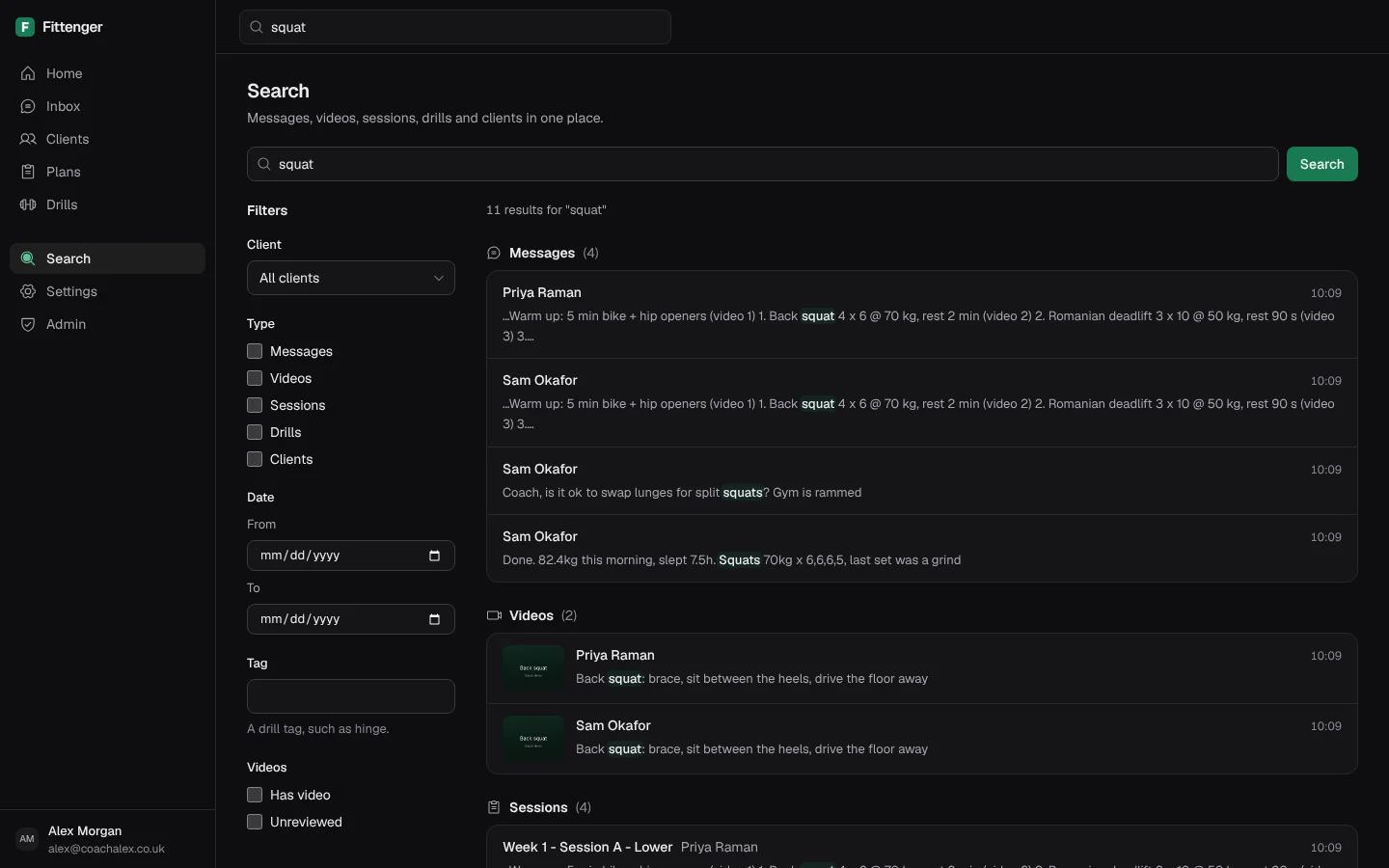
Type a word and see every match. Search covers messages, videos, plan sessions, drills and client profiles. No more scrolling back through old chats.
How to search
Type in the search box
Type a word, a client name or a drill name in the box at the top of any page. Press / to jump to the box.
Filter the results
Choose a client, a type or a date range. Tick Has video or Unreviewed to find form videos that still need a review.
Open a match
Select a message to open its thread. The thread opens at that message, and the message is highlighted.
What search covers
Messages and videos
Search finds words in your chat messages and in the captions of your videos.
Plans and drills
Find a plan session by its name or its exercises. Find a drill by its name, alias or caption.
Clients
Find a client by name, goal or notes. Open the client from the result.
Plain answers.
Does search read my clients’ messages?
Yes. It searches the text of your own chats. Message bodies are encrypted at rest, and the people who run the service cannot see your clients’ messages.
Can I search with only a filter?
Yes. Leave the box empty and choose a filter, such as a client or Unreviewed. The results list the newest first.
Which chats can search find?
Search covers the chats that Fittenger holds. When you connect your number, the last six months of one-to-one chats come across. Older chats stay on your phone only.
More of the desk.
Inbox
Every client chat on one screen, with unread counts and form videos.
Tracking
Weight, sleep and steps from check-in replies, checked by you.
Plans
Weeks, sessions and sets, sent on WhatsApp. Clients need no app.
Drills
Your own exercise demos, tagged and sent on WhatsApp in one step.
Calendar
A booking link for clients, free times only, and busy times from your calendars.

Coach them where they already chat.
Claim a place£10 a month for the first 50 coaches. Then £15. Clients pay nothing.